
TikTok Stylish Names – Copy Cool & Unique Fonts
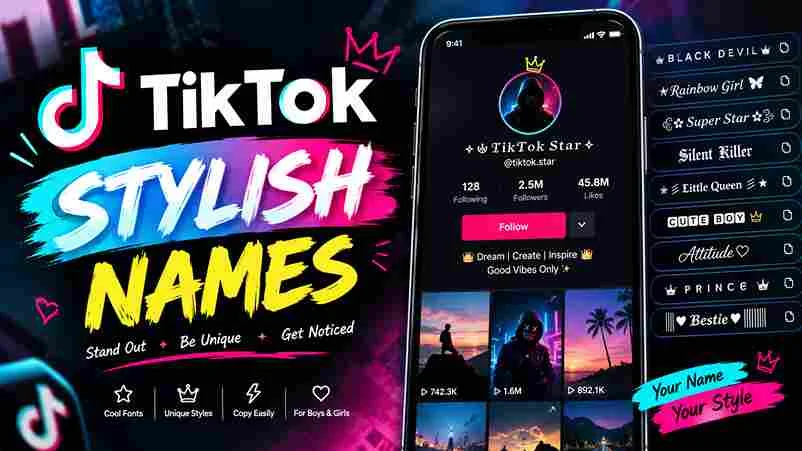
✦ FREE NAME STYLING TOOL TikTok Stylish Names Turn your name into cool, aesthetic, bold, cursive and decorated text. Choose a style and copy it in one tap. Enter your name or text Generate Names ✨ Try your name, nickname, creator name or gaming name. Search styles Sort results RecommendedStyle A–ZShortest name All Styles Fancy Cursive Bold Gothic Aesthetic Symbols ♥ Favorites Stylish name results Loading styles… Copy All Visible Clear Favorites Popular TikTok Name Symbols 亗 ꧁ ꧂ 『 』 ★ ♡ ツ 彡 ✦ ☾ ♛ 𓆩 𓆪 〆 ࿐ How it works: Select a style to copy it, then paste it into the appropriate TikTok profile field. Fancy Unicode text is intended mainly for display names and bios. TikTok usernames (@handles) have separate character restrictions. Some decorative characters may not display on every device. A strong TikTok name should communicate your vibe before anyone presses follow. In short form video content, a few recognizable characters often work better than a complicated string packed with symbols or hard-to-read flourishes alone. Treat your name as creator branding, not a shortcut to popularity: creative tools can build a consistent look, while widespread participation and interaction depend more on useful videos than decorative symbols that obscure your identity. How to Use a TikTok Font / Stylish Name Generator Open the TikTok font generator and browse available font styles before choosing a look. In the input box, enter your text exactly as you want it displayed on your profile, TikTok bio, or video caption. Choose a style, compare the available options, then click your favorite; results are generated instantly. Use auto copy or transfer the result to your clipboard, then paste the name into TikTok and check spacing carefully. How Can I Generate TikTok Stylish Name for Different Social Profiles? Start by choosing a clear theme for each account, then check username availability and consistency across platforms. Test several versions on small screens, prioritizing mobile readability and a matching bio before you publish with confidence. On Instagram, WhatsApp, or other profiles, adapt decoration to the platform instead of copying blindly. Use preview before saving to confirm legibility, and keep personal branding recognizable for your target audience across each social space. How Do I Change My TikTok Display Name? Open TikTok, visit your profile, and select Edit Profile. Tap the display name field, delete your current name, then paste a new stylish one. Check spacing and review it carefully before you save changes first. Remember, TikTok labels this field Name, not @username; changing the display name is separate from changing your handle. You can change it once every seven days, so check the final spelling carefully before you save. TikTok Name Generator Strong TikTok names begin with identity, not decoration alone. A Stylish Name Generator helps creators test stylish fonts, symbols, and trending alphabets before choosing a name recognizable across a profile, bio text, and video captions. Test the result online, compare eye-catching fonts against text, and copy and paste a favorite only after checking legibility; decorative Unicode characters may display differently across apps, screens, operating systems, and your social media profiles. Features Of A TikTok Font Generator A TikTok font generator should make profile styling quick without hiding practical limits. A useful stylish name tool offers varied designs, previews results, and lets creators copy text easily before testing it inside the app. Useful features include simple controls and device compatibility; confirm results stay compatible across phones before posting, since unsupported characters can render inconsistently or confuse readers using assistive technology across tablets and phones during normal use. Also Read: Free Fire Stylish Name Generator – Create Cool FF Names Is This TikTok Stylish Name Tool Compatible With My Gadgets? Yes, the tool works across most modern gadgets, including smartphones, tablets, laptops, and desktops, because it runs in a browser. You generally need internet access and a keyboard or touchscreen to create names with ease. Before copying a style, preview it on your device and inside the app; some Unicode characters may display differently across operating systems, keyboards, or app versions, so choose readable lettering over decoration alone when possible. Why Use Stylish Fonts on TikTok? Why use stylish fonts on TikTok? Because visual choices can make a creator’s profile feel deliberate, help its display name match the content’s mood, and give visitors a clearer sense of personality before they scroll. In practice, stylish fonts work best when they remain readable; an understated script or distinctive lettering can create recognition without distracting from videos, captions, accessibility, or the message a creator wants viewers to remember later. Why Custom Fonts Matter For TikTok? On a crowded feed, custom fonts can give a creator’s name a recognizable visual signature before viewers watch a video. Use them sparingly, so decoration supports identity rather than obscuring meaning or reducing quick readability. From what works in creator profiles, a consistent lettering style can reinforce a distinct mood, and make a profile identity feel intentional; elaborate characters may still sometimes fail on some screens or confuse assistive technologies. Style Categories Sort the options by purpose: Gaming Fonts suit competitive handles, Small Fonts keep compact names tidy, and Decorative Fonts With Symbols add flair when the surrounding username remains easy to recognize at a quick glance. Choose Cursive Fonts for softer profiles, Glitch (Zalgo) Fonts for an edgy mood, or Boxed Fonts for structure; Mirror Fonts and Squiggle Fonts work best when readability still matters, especially in crowded feeds or bios. Font Style Names Used in the Generator The generator groups Squiggle, Wavy Joiner, Bubbles Type, and Mirror effects with Italic, Greek, and Medieval lettering, letting creators compare personality before choosing a name that remains recognizable across TikTok profiles and short profile descriptions. Other options include Tiny, Neon, Wide Text, Underline, Currency, Wingdings Type, and Thick Block Framed styles; preview each result, then copy the version that fits your niche without making your display name difficult to read. List of TikTok Font Styles TikTok profiles can feel different with … Read more
