Free Fire Stylish Name Generator – Create Cool FF Names
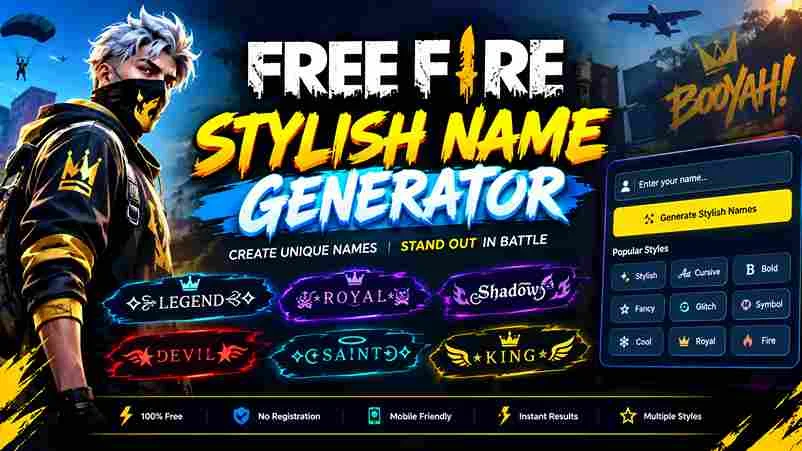
FREE GAMING TOOL Free Fire Stylish Name Generator Create cool FF nicknames with fancy letters, pro-player styles and unique symbols. Generate, customize and copy your favorite name. Enter your name or nickname Generate Names ↗ Enter a name to personalize the styles, or generate ideas without one. YOUR NAME PREVIEW 0 characters 亗 Shadow 亗 Clear Copy Name Choose Your Name Style 24 styles All Styles Pro Player Boys Girls Symbols Fancy Fonts Free Fire Symbols Tap to add Tap a symbol to add it to your preview. You can then copy your customized name. Customize Your Nickname Update Preview Copy Custom Name Compatibility tip: Stylish names use Unicode characters, not installed fonts. Some symbols may display as boxes or be rejected by Free Fire. Test your chosen nickname in the game before confirming a name change. The character count here is a guide, not an official Garena validation. Cool Free Fire names turn a basic username into a recognizable gaming identity, combining Unicode letters, decorative symbols, and fancy fonts to reflect your personality without losing clarity in the lobby or during matches. A good generator offers hundreds of stylish names in seconds, letting players copy and paste a design, test clean styles, and build memorable online identities that suit their squad, mood, and preferred gaming style today. What Are Free Fire Stylish Names? Free Fire stylish names often work as visual identifiers, combining gaming fonts with a unique identity that remains recognizable in a crowded battle royale lobby or beside a guild name for teammates and new opponents. A strong design is less about decoration than usability: special characters or bold tactical letters should keep gaming usernames readable during fast matches, not turn every name into visual clutter for squadmates across the game. How To Change Your Free Fire Name Changing your IGN is easier when you prepare the name first. Open your Profile icon, tap the pencil icon, and enter your new stylish name after checking its appearance and availability. If your account requires a Rename Card, locate it in your inventory before proceeding. Otherwise, check the displayed diamond cost, review your selected nickname carefully, and tap Confirm to apply the change. Also Read: Garena FreeFire Method 1: Nickname Card (Free) Before paying for a rename, check the official social media pages and lucky royale for time-limited giveaways. Offers change, so confirm that a card is genuinely available to claim through the game itself before spending. Check redeem codes and eligible event notices, then inspect your account’s available rewards. A card may not appear for every player; never assume a free rename is active until the in-game screen confirms it directly. Method 2: Diamonds (200 Per Change) Do not assume 200 Diamonds is the standard direct rename cost; current guides commonly report 390 diamonds, so check your account’s amount before confirming. Costs and options may differ by region and game version today. For a cheaper route, inspect the in-game store and compare a Name Change Card with direct payment. Guild tokens, card availability, and updates can affect totals; check the confirmation screen before spending your own balance. Use Our Free Fire Name Style Generator Begin with a simple base, then explore 500+ cool fonts and 100+ variations instead of assuming heavier embellishment always looks better. Compare each result at normal screen size before choosing a style for online matches. Check how each option appears on your gaming profile, then use tap to copy to keep a shortlist. Prefer lettering teammates recognize quickly, especially during intense ranked matches on compact mobile screens at a glance. Copy Your Favorite Free Fire Name Style After choosing a copied name style, check how its special characters appear beside your preferred nickname. A quick profile preview helps you spot awkward gaps before applying your choice in the actual game during play. Use the Copy button only after checking the name and its visual balance; then insert it into Free Fire’s rename screen. Test legibility in the lobby, because elaborate nickname designs may display differently on phones. Open Your Free Fire Profile Open your Free Fire profile and check the avatar area before changing anything. Your current nickname and visible In-Game Name help confirm you are editing the correct account, not another player’s details on your device. Tap the profile section or pencil icon near the top-left, then inspect the input field and name carefully. I recommend noting your current setup first, so you can return if the new design fails validation. Paste Your Free Fire Stylish Name Choose a result, press the Copy button, then insert the text in the game’s rename screen. Confirm device compatibility before using it during play, since some lettering may look different on phones and tablets alike. Before saving, review the character counter and keep the layout simple. Open your profile section afterward to check that the chosen lettering stays legible in practice, rather than looking clear only in the editor too. Free Fire Name Style — Frames, Fonts And Symbols Free Fire names often look stronger with symmetrical bookends than crowded decoration. Test plain bold lettering beside bold symbols, then keep the central nickname readable in the lobby, kill feed, and squad list during matches. A clean frame can make rarer characters stand out, but multi-symbol designs may break across devices. Compare larger fonts in previews, prioritize maximum visual impact without clutter, and choose an accessible style reflecting personal style. Also Read: TikTok Stylish Names – Copy Cool & Unique Fonts Free Fire Name Style 2026 A strong Free Fire name style in 2026 balances visual harmony, readable lettering, and a compact base word. Test Unicode alphabets on your device, then check its lobby appearance before using layered decorative symbol combinations. From my testing, a single bracket pair or one strong wrapper often looks cleaner visually than stacked symbols. Compare bold alphabets, small-caps, and thin scripts with nickname styles at actual screen size before your selection. Free Fire Nickname / FF Nickname Style A strong FF … Read more
